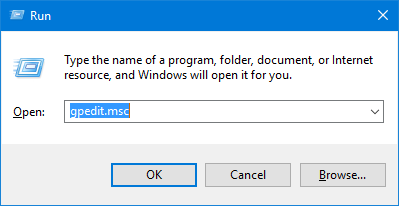
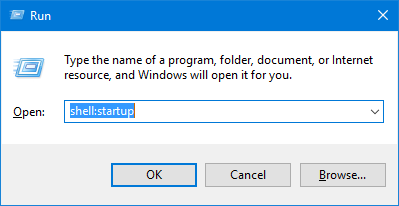
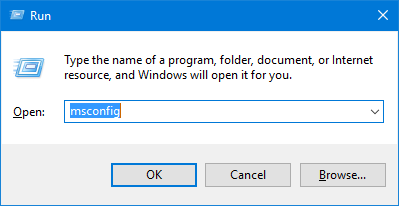
Press Win+R, type ‘msconfig‘ and press Enter:

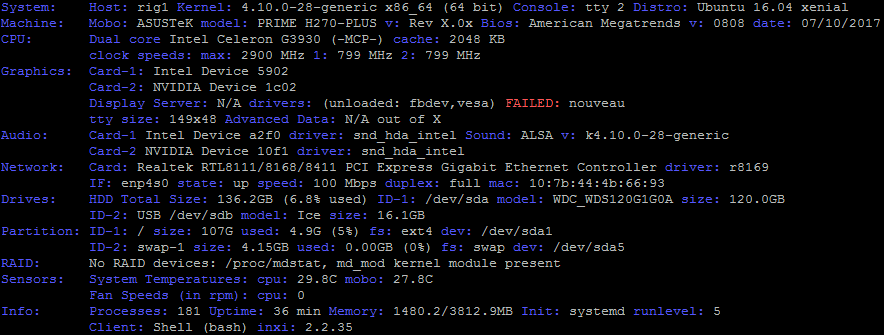
I am not sure if there were NVIDIA drivers when I installed Ubuntu 16.01 on a machine with Intel processor and GTX 1060 graphic card, but at least I saw this in the terminal (it is not clear what actually FAILED):

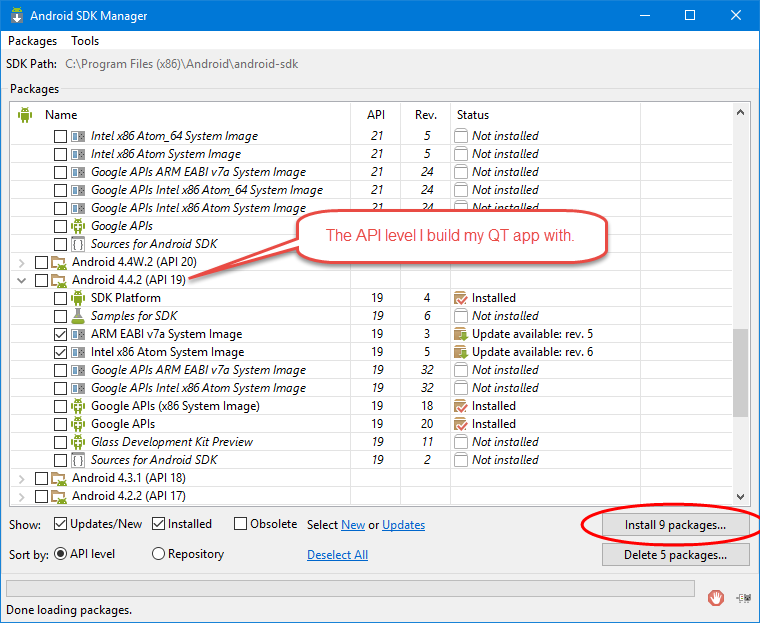
If Android support is enabled in MS VS2015, it installs Android SDK without Google Play Services and I did not find an option in SDK Manager that installs them. When I started “C:\Program Files (x86)\Android\android-sdk\SDK Manager.exe” with admin privileges, it automatically offered to install some 9 packages:

Today I read that Postfix can be better than sendmail and found a great Russian article on how to configure Postfix to work with Yandex.ru relay (Yandex.ru is some kind of Russian Google). The only notice I would give is that in a Docker container I need also install rsyslog, otherwise /var/log/mail.log file is not created:
apt install rsyslog
After doing all the steps described in this Russian manual I was able to send email to Yandex.ru and GMail accounts, but GMail landed all the emails to its spam folder. My first idea was that it is because I did not configure ‘from address’ correctly, so I had the following in /var/log/mail.log, and also there was a message ‘Cannot assign requested address‘:
Oct 27 11:36:19 0675c97b78aa postfix/pickup[1210]: 8C7ECE5B72: uid=0 from=<root> Oct 27 11:36:19 0675c97b78aa postfix/cleanup[10786]: 8C7ECE5B72: message-id=<20171027113619.8C7ECE5B72@0675c97b78aa.localdomain> Oct 27 11:36:19 0675c97b78aa postfix/qmgr[1211]: 8C7ECE5B72: from=<root@0675c97b78aa.localdomain>, size=405, nrcpt=2 (queue active) Oct 27 11:36:19 0675c97b78aa postfix/smtp[10788]: connect to gmail-smtp-in.l.google.com[2a00:1450:400c:c09::1b]:25: Cannot assign requested address ...
Previously I published post How I configured sendmail for PHP on Ubuntu Server 12.04 describing how to configure sendmail to use custom SMTP server. But after switching to Ubuntu 16.04 VPS my first idea was that I can use sendmail in its default configuration, but this idea was wrong, because while sendmail worked well with yandex.ru (some Russian mail server), for example, it did not work with GMail, because GMail did not accept the mail reporting ‘DSN: Service unavailable.‘ in /var/log/mail.log, see my post on Ubuntu Forum for more information. Now my second idea is that using GMail as sendmail relay will prevent GMail from rejecting my mail. Below I provided a short instruction on how to realize this successful idea.
apt-get install sendmail mailutils
mailutils allows to run mail command.
I have heard many times that there are a lot of Russian guys who build mining farms and earn money with cryptocurrencies. Who knows, probably cryptocurrencies are still only at the starting point of their growth, or probably it is too late to start mining, or as another alternative Russian government will forbid them, but anyway it was interesting for me, how much Bitcoins my home Windows computer with relatively old graphic card can mine.
I overclocked my GeForce GTX 750 graphics card a bit:

I was unable to add QML resources to a QT Quick application with CMake 2.8 installed on my machine, so I built the latest version of CMake with the following commands:
cd ~/examples mkdir tools cd tools mkdir install tar -xf ~/Downloads/cmake-3.9.1.tar.gz cd cmake-3.9.1/ ./configure --prefix=/home/dmitry/examples/tools/install/ make -j4 make install
Now my QT application is compiled and run successfully:
~/examples/tools/install/bin/cmake ../../OsgQmlTest/ -DCMAKE_BUILD_TYPE=Debug -DCMAKE_MODULE_PATH=/home/user/3rdpart/osg/CMakeModules/ -DCMAKE_INSTALL_PREFIX=/home/dmitry/examples/install make -j4 make install
The following section in OsgQtQuick‘s CMakeLists.txt:
find_package(OpenSceneGraph 3.0 REQUIRED osg osgQt osgDB osgGA osgManipulator osgUtil osgViewer osgText)
results in CMake searching for FindOpenSceneGraph.cmake file:
strace cmake ../../osgqtquick/ -DCMAKE_BUILD_TYPE=Debug -DCMAKE_INSTALL_PREFIX=/home/dmitry/examples/install |& grep -i OpenSceneGraph
access("/home/dmitry/examples/osgqtquick/cmake/FindOpenSceneGraph.cmake", R_OK) = -1 ENOENT (No such file or directory)
access("/usr/share/cmake-2.8/Modules/FindOpenSceneGraph.cmake", R_OK) = 0
stat("/usr/share/cmake-2.8/Modules/FindOpenSceneGraph.cmake", {st_mode=S_IFREG|0644, st_size=7438, ...}) = 0
open("/usr/share/cmake-2.8/Modules/FindOpenSceneGraph.cmake", O_RDONLY) = 3
read(3, "# - Find OpenSceneGraph\n# This m"..., 8192) = 7438
read(3, "/* -*-c++-*- OpenSceneGraph - Co"..., 4096) = 3495
read(3, "/* -*-c++-*- OpenSceneGraph - Co"..., 8191) = 3495
Could NOT find OpenSceneGraph (missing: OPENSCENEGRAPH_LIBRARIES
OPENSCENEGRAPH_INCLUDE_DIR OSG_FOUND OSGQT_FOUND OSGDB_FOUND OSGGA_FOUND
/usr/share/cmake-2.8/Modules/FindOpenSceneGraph.cmake:187 (FIND_PACKAGE_HANDLE_STANDARD_ARGS)
access("/usr/share/cmake-2.8/Modules/FindOpenSceneGraph.cmake", R_OK) = 0
I already had QT 5.5.1 with GCC 4.7.3 (and probably some libraries, including libcurl4-gnutls-dev, libgdal-dev, glut, that are installed, but not built) on my machine, so I built OSG with the following commands (I am not sure that it makes a sense to clone recursively, but making with ‘CMAKE_BUILD_TYPE=Debug’ can be better than with ‘debug’ or ‘DEBUG’, because CMAKE does case-sensitive compare. We can build osgEarth 2.8 against OSG 3.4 or osgEarth master branch against OSG 3.4 or newer..):
cd ~ mkdir examples cd examples mkdir install git clone --recursive https://github.com/openscenegraph/OpenSceneGraph.git git tag git reset --hard OpenSceneGraph-3.4.0 mkdir -p build/osg cd build/osg cmake ../../OpenSceneGraph/ -DCMAKE_BUILD_TYPE=Debug -DCMAKE_INSTALL_PREFIX=/home/dmitry/examples/install make -j3 install export LD_LIBRARY_PATH=$LD_LIBRARY_PATH:/home/dmitry/examples/install/lib64 ~/examples/install/bin ./osgversiond