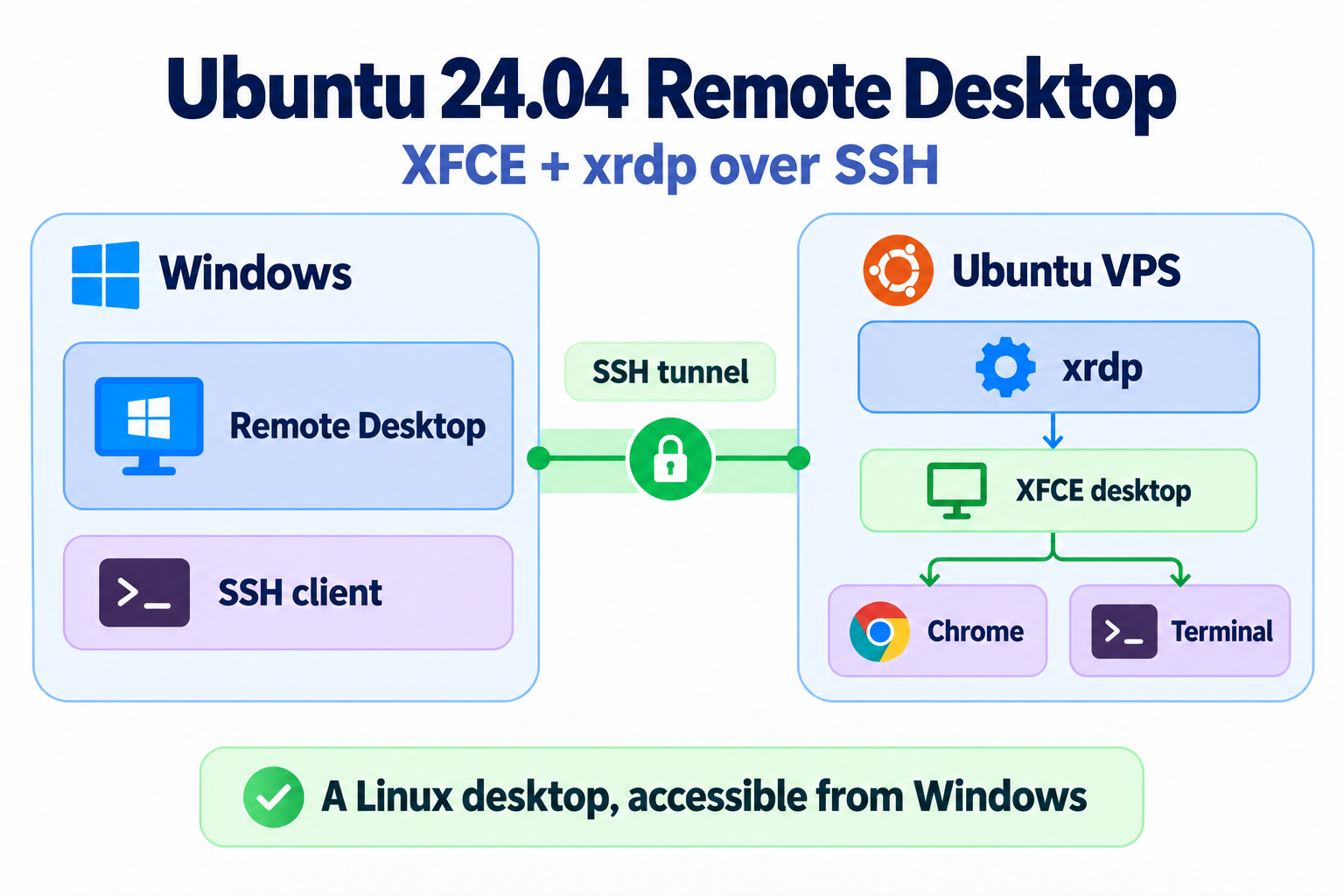
This guide explains how to add a graphical desktop to an Ubuntu 24.04 VPS and access it using Windows Remote Desktop. The setup uses XFCE, xrdp, and a regular Linux user. RDP connections travel through an SSH tunnel, with xrdp listening only on localhost.
(more…)Category Archives: Ubuntu
Experimentations with LDAP/SASL on Ubuntu
SASL
I configured Kerberos on Ubuntu 24.04 WSL and was able to run the following command:
export KRB5_TRACE=/dev/stderr
ldapsearch -H ldap://myserver.my.local -Y GSSAPI
that produced the following output:
(more…)Increasing image size in WordPress
I updated my Ubuntu 24.04 and my WordPress stopped loading images of size 1.3MB and higher.
I fixed this by adding the following:
client_max_body_size 32M;
to Nginx configuration.
(more…)Nginx TCP proxy with SSL Termination
Obtaining the certificates
Obtain private and public keys from exported pfx file:
openssl pkcs12 -in ldaps.pfx -nocerts -nodes -out ldap.key
openssl pkcs12 -in ldaps.pfx -clcerts -nokeys -out ldap.crt
An error occurred when accepting connection in the local socket. Code: 24
Tried the following
sysctl net.core.somaxconn
net.core.somaxconn = 4096
sudo sysctl -w net.core.somaxconn=8192
but without a success.
(more…)Configuring a TCP proxy with Nginx on Ubuntu 24.04
Install Nginx with stream module:
sudo apt install nginx-full
The output of the command
nginx -V
should contain with-stream=dynamic.
And add the following to /etc/nginx/nginx.conf:
stream {
server {
listen 12345; # The port that Nginx listens to
proxy_pass 192.168.0.121:389; # Where to forward connections
}
}
Exporting and importing WSL distributions
Exporting
In PowerShell:
wsl --export Ubuntu Ubuntu-01.tar
where Ubuntu is the distro name.
Importing
wsl --import UbuntuA C:\Users\dmitriano\wsl\UbuntuA Ubuntu-24.01.tar
probably the folder C:\Users\dmitriano\wsl\UbuntuA should exist.
Using lb to measure LDAP performance
Download and install latest Go:
wget https://go.dev/dl/go1.25.1.linux-amd64.tar.gz
tar xf ../distrib/go1.25.1.linux-amd64.tar.gz
realpath go
export GOROOT=/home/dmitriano/dev/tools/go
export GOPATH=$HOME/go
export PATH=$GOPATH/bin:$GOROOT/bin:$PATH
Install the package:
go install github.com/hamano/lb@latest
Using Apache JMeter to measure LDAP performance
Extract the archive:
tar xf /mnt/c/Users/dmitriano/Downloads/apache-jmeter-5.6.3.tgz
Install Java runtime:
sudo apt install default-jre
java --version
openjdk 21.0.8 2025-07-15
OpenJDK Runtime Environment (build 21.0.8+9-Ubuntu-0ubuntu124.04.1)
OpenJDK 64-Bit Server VM (build 21.0.8+9-Ubuntu-0ubuntu124.04.1, mixed mode, sharing)
Running v2rayN client on WSL
unzip /mnt/c/Users/dmitr/Downloads/v2rayN-linux-64.zip
sudo apt install libice6 libsm6
./v2rayN &
curl -s https://api.ipify.org