There are the key links to the docs:
At the moment of writing this post application icons were of the following sizes:
(more…)There are the key links to the docs:
At the moment of writing this post application icons were of the following sizes:
(more…)I worked on some Windows app that registers a Windows service with a C++ code like this:
SC_HANDLE hService = ::CreateService(
    hSCM, m_szServiceName, _T(SERVICE_NAME),
    SERVICE_ALL_ACCESS, SERVICE_WIN32_OWN_PROCESS,
    SERVICE_AUTO_START, SERVICE_ERROR_NORMAL,
    szFilePath, NULL, NULL, _T("RPCSS\0"), user_name, password);
where user_name and password are strings that are provided by the app user during the app install. Assuming the service name is MyService this creates a registry key HKEY_LOCAL_MACHINE\SECURITY\Policy\Secrets\_SC_MyService that is hidden by default and even administrator does not have a permission to read it and regedit does not show the content of HKEY_LOCAL_MACHINE\SECURITY key by default. But fortunately the access can be allowed by right clicking on HKEY_LOCAL_MACHINE\SECURITY and selecting Permissions or alternatively by running
Enable-TSDuplicateToken
in PowerShell. To list the content of the key I used the following command:
dir HKLM:\SECURITY\Policy\Secrets\_SC_MyService
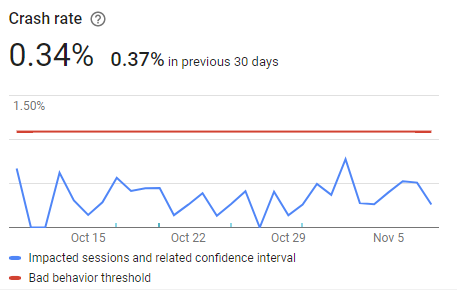
I have an Android QT app with more than has 14K active users at the moment of writing this post. The app is relatively stable, its crash rate is 0.34%:
The binding did not work for me until I switched from Internal Virtual Switch to External Virtual Switch and while switching I were getting the following error:
[Window Title]
Virtual Switch Manager for MY-MACHINE

[Main Instruction]
Error applying Virtual Switch Properties changes

[Content]
Failed while adding virtual Ethernet switch connections.

[Expanded Information]
External Ethernet adapter 'Realtek PCIe GBE Family Controller' is already bound to the Microsoft Virtual Switch protocol.
until I switched Hyper-V Extensible Virtual Switch off on my network adapter properties page (after I created External Virtual Switch it switched on back):
(more…)My Windows 10 PC started to glitch a little bit and I scanned its disks with the following commands:
chkdsk C: /f /r /x
The type of the file system is NTFS.
Cannot lock current drive.

Chkdsk cannot run because the volume is in use by another
process.  Would you like to schedule this volume to be
checked the next time the system restarts? (Y/N) y

This volume will be checked the next time the system restarts.
I keep working on my Lines Game and probably I try to make it the best Lines Game in the world, but there is some disappointing incident that prevents it from being the best and makes it a usual game that glitches a bit. To see the glitch in action download the beta version of the game.
Adding Interstitial Ads to a QT application on Android platform is an interesting and relatively exciting job. I learned the following facts while doing it:
My Ubuntu 18.04 installed in Windows 10 HyperV virtual machine stopped booting up with the following errors:

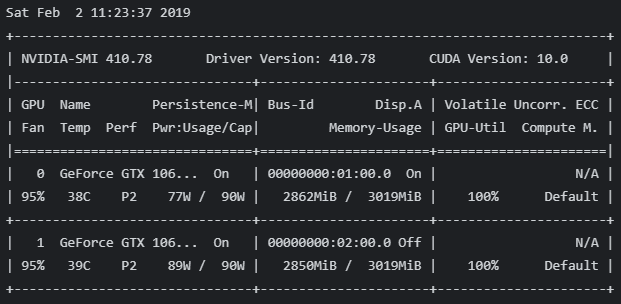
It is still possible to mine BEAM with GeForce GTX 1060 3GB and GMiner on HiveOS. GMiner takes 2862MB on GPU0 and 2850MiB on GPU1-7:
I followed the official Ubuntu time synchronization guide and installed chrony:
sudo apt update
sudo apt install chrony
cat /etc/chrony/chrony.conf
chronyc sources
chronyc sourcestats
sudo systemctl restart chrony.service
apt remove --autoremove chrony
After a few attempts I was able to start Ethereum Mist 0.11.1 in ‘fast’ mode on Windows 10:
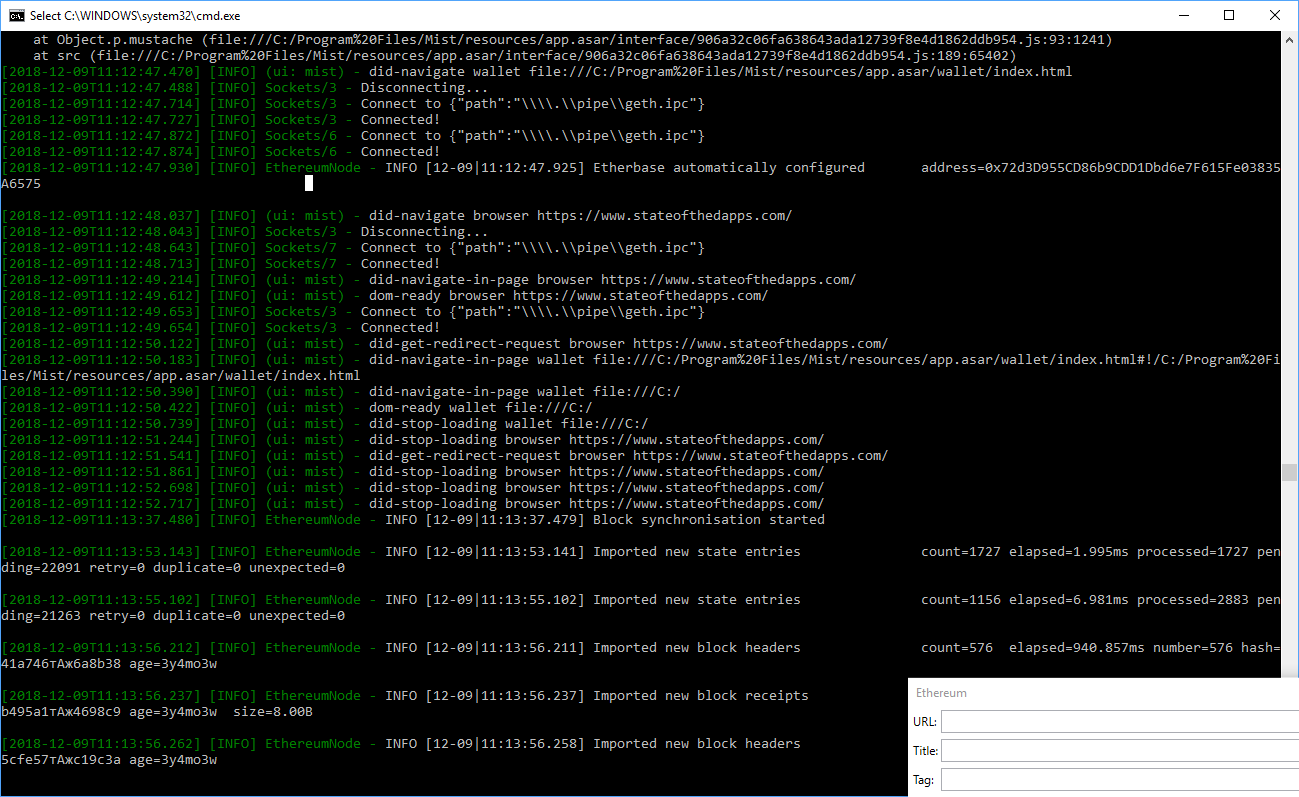
it downloaded ‘geth’, connected to {“path”:”\\\\.\\pipe\\geth.ipc”} and started to sync, but when sync finished I was unable to send transactions (they were ‘denied’ for some reason).